Running Scrims and Tournaments End to End with Finalist

Finalist Editorial Team
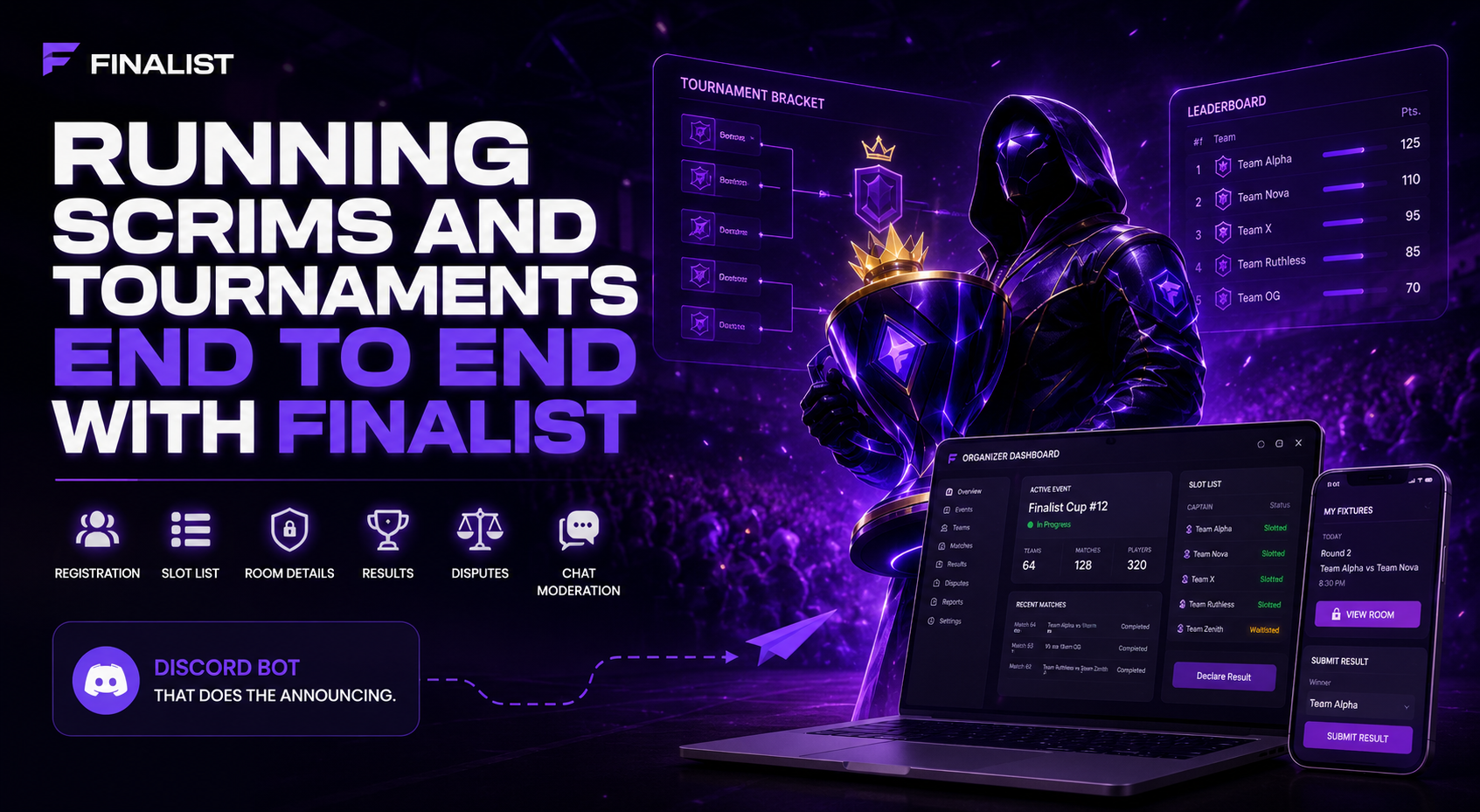
A detailed look at how Finalist runs competitive events end to end — recurring scrims, six-format tournaments, slot lists, controlled room-detail release, results and disputes, chat moderation, player reports, and a Discord bot that does the announcing.
Most scrim orgs run on a stack that is really four apps in a trench coat: a Discord server for announcements, a Google Sheet for the slot list, a second sheet for the points table, and a DM thread where room IDs leak to teams that were never slotted. It works right up until the night it does not — a captain screenshots a password, the waitlist backfill gets missed, and someone has to rebuild the standings by hand at midnight.
Finalist collapses that stack into one system. You host an event, teams register, slots get assigned, room details are released to exactly the captains who hold a slot, results get declared, and the standings recompute themselves. It is a web platform with a Discord bot attached, and which half you spend your time in depends on whether you play or host.
What is Finalist?
Finalist is a competitive esports platform for running scrims and tournaments end to end. It covers registration, slot lists and waitlists, pre-match filters, controlled room-detail release, result declaration with a referee review queue, disputes, standings with configurable tiebreakers, live chat moderation, and player reports — with a Discord bot that handles announcements and lets players register, check in, and submit results without leaving the server.
Three Surfaces, One Account
Rather than one dashboard that tries to serve players and organizers at the same time, Finalist splits itself into three surfaces that share a single session. You never log in twice.
- [finalist.live](https://finalist.live) — the public site: sign-in, and public organization pages that anyone can open without an account.
- [play.finalist.live](https://play.finalist.live) — the player app: your teams, the scrims and tournaments you have entered, your fixtures, your results.
- [app.finalist.live](https://app.finalist.live) — the organizer dashboard: your organization's events, slots, room details, results, reports, and members.
- The Discord bot — the fourth surface, living in your server: browse, register, check in, get room details, submit results.
Sign-in takes Discord, Google, or an email code — there is no password anywhere. Signing in with Discord links your Discord account at the same time, so the bot recognises you immediately. New accounts hit a username step before anything else; until you pick one, most of the platform stays closed.
One detail pays for itself over a season: set your in-game name per game once on your profile, and it fills itself in every time you join a lineup. Hosts who require IGNs can have the pre-match filter kick players who lack one, so the requirement enforces itself instead of turning into a DM thread.
Scrims: One Lobby, One Evening
A scrim is the unit everything else is built from: a single game, a single start time, a fixed number of slots, one result at the end. It belongs to an organization rather than to a person, and carries a 12-character share id for its public page.
The lifecycle runs draft → upcoming → registration_open → registration_closed → ongoing → completed, with cancellation available up until play starts. Either the host drives each step by hand from the management page, or the clock does it: set the times and a lifecycle worker opens registration, closes it, starts the scrim, and completes it on schedule. Two rules catch people out — a live scrim cannot be cancelled, only completed, and registration can be skipped entirely if a scrim goes straight from open to ongoing.
Slots, Waitlists, and Pre-Match Filters
Captains register a team with the lineup for this scrim — changing it never touches the team's underlying roster. Slots are handed out in registration order or assigned by hand, and once they run out, teams queue on the waitlist, which Finalist backfills automatically when a slot frees up.
Pre-match filters solve the specific problem of teams that register early and turn up short-handed. Set apply filters N minutes before start and, at that moment, Finalist makes one pass over the registrations and removes the entries that fail your rules, promoting waitlisted teams into the gaps. Every action is written to a filter log with its reason, so when a captain asks why they were dropped, there is an answer on file rather than an argument.
Room Details, Released on Purpose
Room details are stored as key/value pairs — Room ID, Password, Server/Region, lobby name, map, stream link, or any custom field you add — and any pair can be marked secret, with Password secret by default. Secret fields stay masked until a captain chooses to reveal them.
The point is controlled release. You can draft the entire lobby hours ahead; nothing is visible until you publish, and even then Finalist shows the details only to the captain of a team holding a slot. Waitlisted teams, spectators, and the person who wandered in from the public page see nothing.
Recurring Scrims Without the Nightly Chore
If you run the same lobby every evening, describe it once as a preset and Finalist creates each instance ahead of time. A preset holds the game and mode, the naming, the cadence — daily or weekly on chosen days — its own timezone, the start time and duration, the map rotation, and the slot and lineup defaults.
The detail that matters is that registration windows are stored as minutes before start, not clock times. Set 360 and 30 and registration runs from six hours before until half an hour before, wherever each instance's start time lands. The preset's own timezone means daylight-saving shifts never drag your 6 PM scrim into 5 PM.
Tournaments: Stages, Formats, and a Points Table
When one lobby is not enough, you reach for a tournament. Everything carries over — same accounts, same teams, same IGNs, same organization, same bot. What is new is the shape in the middle: stages, played in order, each with its own format and its own advancement rule.
Teams enter once, get seeded and drawn into groups or a bracket, and play a match timetable the draw generates. Each match carries its own check-in window, its own room details, and its own result sheet. Standings recompute every time a match is confirmed, with the qualification cut drawn as a marked line so players can see where they stand while the stage is still running.
Six Formats You Can Mix
- BR points — lobbies × matches scored on a points table. Configure groups, groups per lobby, matches per group, map rotation, points, and tiebreakers.
- Round robin — everyone plays everyone. Configure divisions, double round, best-of, points, and draws.
- Single elimination — a knockout bracket, with best-of and an optional third-place match.
- Double elimination — winners and losers brackets, with grand-final best-of and bracket reset.
- Swiss — paired by record, nobody eliminated. Configure rounds, best-of, and rematch avoidance.
- Gauntlet — a seeded stepladder with a configurable best-of.
Because stages are ordered and independent, a BR points qualifier feeding a single-elimination final is one event with two stages, not two events stitched together. Stage configuration is validated when you save the stage, not on match day — a setting that cannot work is rejected there and then, with the reason.
BR Points in Detail
This is the format most Indian and SEA mobile events run on, so it gets the most depth. Split the field into groups, then set groups per lobby. At 1, each group plays its own lobbies and never meets the others. Above 1, Finalist generates a balanced rotation in which every group meets every other group the same number of times across the stage — and because the number of groups must divide evenly by groups per lobby, an arrangement that would leave a group sitting out a round is rejected when you save, rather than discovered halfway through the day.
Scoring is a placement table plus kill points with an optional kill cap, and you can start from a template instead of typing a table in. Tiebreakers apply in order, defaulting to points → WWCD → kills → best placement → last match placement, and points are frozen at the moment a result is recorded so a mid-season table change never rewrites last week's history.
Results, Review, and Disputes
For scrims, results are drafted privately and then declared in one move — placements and scores go public together, host-only and idempotent, with a 24-hour lock afterwards so a finished scrim stops being editable.
Tournaments add a layer: captains can submit their own result for a match — placement, kills, and a screenshot — and a referee confirms or corrects it from a review queue. Disputed matches get a status of their own, and a referee can reopen a completed match to fix it, with standings recomputing on the way back out. The match lifecycle runs scheduled → check_in → ready → in_progress → awaiting_results → completed, plus disputed and cancelled.
The Discord Bot Does the Announcing
Invite the bot to your server and run /claim. That creates an organization named after the server and hands it to you — there is no form to fill in first. /claim needs Manage Server, and it is one of only three commands available before a server is connected; the others are /link, which ties your Discord to your Finalist account, and /help.
Once the server is connected, the rest of the command groups install themselves — and are removed again on disconnect. Players get /scrim list, /scrim register, /scrim results, /tournament standings, /tournament checkin, /tournament room, /tournament result, plus /team, /me, and /org. Share ids autocomplete, so nobody types a 12-character code. Room details fetched through /tournament room are always private to the requesting captain.
A few things stay deliberately on the web: creating events, drawing stages, and confirming results are organizer work with too much surface for an embed, and tournament entry needs a roster picker, so /tournament enter opens the entry page rather than trying to be one.
Chat Moderation and Player Reports
Every scrim carries a live chat, which is the most useful part of the page most nights and the worst on the others. Four modes switch mid-scrim: Everyone, Registered, Slotted, and Organizers. Tightening the mode usually beats banning people one at a time — moving to Slotted the moment registration closes removes the entire class of noise generated by people who are not playing.
Players report each other from inside your scrims, and those reports come to your organization's queue on the dashboard. Ten players reporting one cheater produce one case with ten filings, not ten queue items — cases group by target and category while open, so a repeat problem accumulates instead of fragmenting. The queue is ordered by a priority score fed by report count, and that is all report count feeds: it routes attention, never escalates a penalty, and nothing auto-bans.
There is no platform moderation tier above you and no cross-organization queue. If it happened in your scrim, it is yours to judge.
Plans, Limits, and Why Finalist Never Touches Money
Nothing is charged and nothing is capped. Every organization currently resolves to the founder plan, which grants every feature with no limits — unlimited scrims, unlimited recurring series, unlimited members, unlimited slots, custom branding, automatic filters, and analytics. There is no checkout on the platform; plans are granted out of band. The plumbing exists so that if limits are ever switched on it is a data change rather than a rewrite, and so organizations already using Finalist can be kept on what they have.
On money, the position is deliberate and worth stating plainly: Finalist does not move money, anywhere. No entry fees, no wallet, no gateway, no escrow. Prizes are a record, not a transfer — an organizer writes down the prize bands and marks each payout paid with their own reference, and the payment happens directly between the organizer and the team.
This is not an unbuilt feature. Real-money gaming is a regulated category, and in India the Promotion and Regulation of Online Gaming Act, 2025 draws a hard line between e-sports and online money games. Finalist stays firmly on the e-sports side of it by never touching stakes, entry fees, or prize money in the first place.
Start Running Events on Finalist
If you play, sign in at play.finalist.live, create or join a team, set your IGN, and let your captain register you. If you host, create an organization, publish a scrim, open registration, assign slots, publish room details, and declare the result — then turn the whole thing into a preset so tomorrow's lobby creates itself.
If you run a Discord server, the fastest path is to invite the bot and run /claim — your organization exists a second later, named after your server.
Full documentation lives at docs.finalist.live, and there is a walkthrough video that runs a scrim end to end. If something does not match what you see, the support server is the place to say so.
Built & Curated by Amit Kumar Raikwar
Full-stack engineer & product designer shipping production software worldwide.
Frequently Asked Questions
Amit Kumar Raikwar
Full-stack engineer and product designer in Indore. I take software from an empty Figma file to a live product that takes payments, and I do the interface, the API, the database and the deploy myself.